
Oregon's VISOR Transition
Oregon's statewide custody and victim-notification service is now VISOR. It is short for the Victim Information System in Oregon. The Oregon Department of Corrections runs it. The old VINE contract ran out on October 30, 2023. VISOR launched the very next day. That handoff explains why older Oregon materials still say VINE. They describe the former service. Today's public search lives on the VISOR site, whatever a search bar suggests. People still type "VINE" out of habit.
The DOC transition brief covers the shift to state operation. VISOR pulls custody and supervision records from participating data exchanges. Anyone can register for notifications, with or without an account. One caution belongs here. The homepage states the system updates periodically. It is not an official record, and it does not promise complete or timely coverage. A result can help you follow custody changes. But it cannot certify that every Oregon arrest has been entered.
Check an Oregon Custody Record
VISOR finds one person at a time. It does not browse a statewide list of every recent arrest. You can search a full or partial name, an Oregon SID number, or a county ID. A CAPTCHA guards the search form. That is just a short anti-robot check. Partial names often return several people. So resist picking the first match on a name alone. The VISOR search screen shows the statewide entry point and the name or ID field.
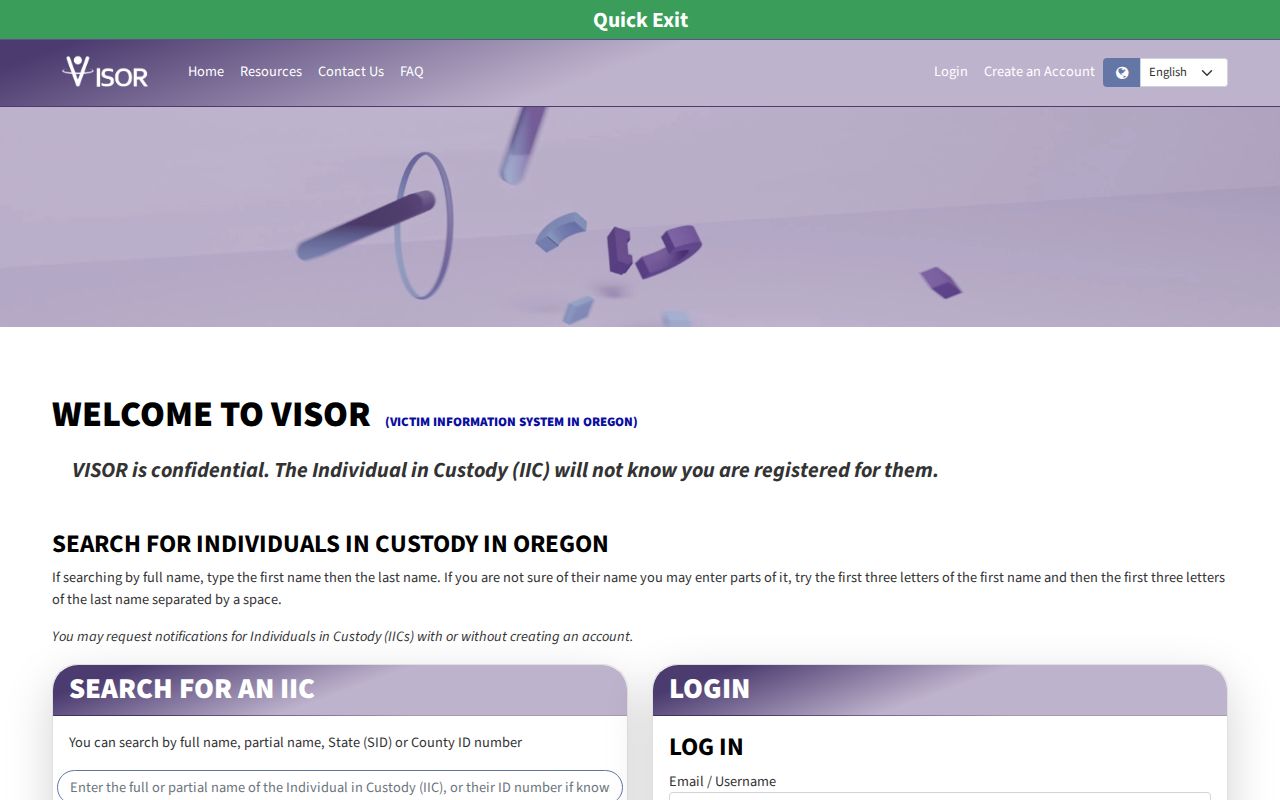
The same screen notes that notification requests work with or without an account. Enter an identifier when you have one, and compare the profile details before asking for alerts.
- Open the current VISOR homepage and enter the person's full name, a useful part of the name, SID, or county ID.
- Complete the CAPTCHA shown by the search form. If a partial name returns several matches, pause and compare the available identity details.
- Open the record that matches the person. Check the displayed status and facility or custody information, where those fields appear.
- If no match appears, try a spelling variation or a known identifier. A blank result does not prove that no arrest or custody record exists.
Treat search results as leads. They are no substitute for the county agency's own booking record. A fresh arrest may still be moving through intake or a regional jail system when you first search.
What a VISOR Result Can Show
A VISOR match is a custody or supervision profile, nothing more. It is not a full arrest report. Fields differ by source and record, so use this as a guide to what to compare rather than a promise of what each profile holds.
| Record detail | How to read it |
|---|---|
| Name and identity details | Compare the name with age or other profile information shown. Similar names alone are not enough to confirm a match. |
| SID or county ID | An available identifier can help distinguish people with similar names. County and state identifiers may refer to different systems. |
| Custody status or facility | Use the displayed status and location as a current custody clue. A transfer or release can change what appears. |
| Supervision information | VISOR can include people under DOC supervision. That status is distinct from a new county jail booking. |
Profiles can change after a release or a move, and some data goes missing. VISOR is not a court docket. So do not read it as a complete list of charges, hearings, or outcomes. A county booking record and a VISOR custody profile serve different purposes.
When two profiles look alike, weigh more than one clue before choosing. An identifier beats a name alone. A current location can separate a county jail record from DOC custody or supervision. Do the visible details fail to settle the match? Stop before registering, and ask the holding agency to confirm the right person. That call settles what the screen cannot.
Note: A profile field may be missing or change after a transfer, so compare the person and status before setting an alert.
Register for Oregon Custody Alerts
VISOR gives out free custody-status notifications. The homepage says you can register two ways. You can sign in with or without an account. It also promises that the person in custody will not learn who registered. The live homepage offers a no-account route, while a separate form builds an account. Follow the choices shown on the matched profile. The two routes may ask for different details. The VISOR registration screen displays the account form and the notification methods currently offered.
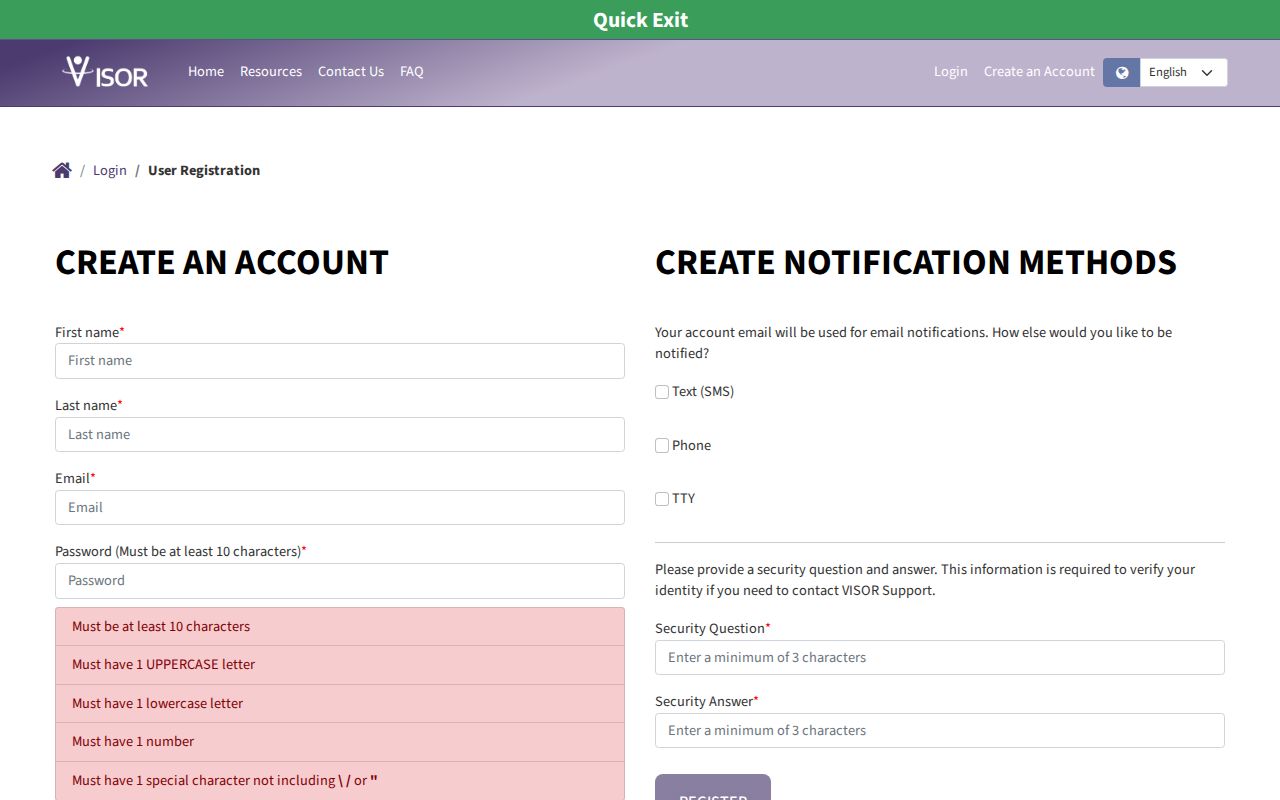
The form includes email and offers text, phone, and TTY choices. Check the live screen for the options available when you register.
- Find and confirm the correct VISOR profile before starting an alert request.
- Choose the account or no-account route offered by the portal. The account form shown asks for a name, email, password, and a security question and answer.
- Select the contact methods you want from the choices the live form provides. Email, text message, phone, and TTY are shown on the account screen.
- Complete any confirmation step. If the flow asks for a PIN or another verification credential, keep it private and use it only through the official service.
Pick only the contact paths that can actually reach you when a status notice arrives. The account form links email notices to the account email. It also lists optional text, phone, and TTY methods. The portal calls VISOR confidential. It repeats that the person in custody will not know who registered. Keep your password, security answer, and PIN private. That matters most on a shared device or email account.
Older Oregon DOJ VINE information describes the earlier phone-and-PIN process and its victim-service context. It helps explain the legacy name. The current VISOR screen still governs today's account and alert steps. Keep credentials, contact details, and any PIN out of messages shared with others.
Oregon Arrest Coverage by System
Oregon's public VISOR material offers no machine-readable map showing which counties participate, and no universal timeline from booking to alert. County pages still give you workable routes. Each one names a public jail source and touches on VISOR or victim notification. What they cannot promise is that every listed jail releases the same fields on the same schedule. Treat this routing map as a starting point for a search, not proof that a county feed is live.
| Custody route | What the public evidence supports |
|---|---|
| DOC custody and supervision | DOC operates VISOR. People in state custody or under supervision may be searchable through the state feed. The separate Oregon Offender Search is not a fresh county booking view. |
| County jail systems named in research | Baker, Benton, Clackamas, Clatsop, Columbia, Coos, Crook, Curry, Deschutes, Douglas, Grant, Harney, Jackson, Jefferson, Josephine, Klamath, Lake, Lane, Lincoln, Linn, Malheur, Marion, Multnomah, Polk, Tillamook, Umatilla, Union, Washington, and Yamhill have identified public custody routes. The research does not establish identical participation, fields, or timing. |
| NORCOR regional custody | Gilliam, Hood River, Sherman, Wasco, and Wheeler route through the regional system. That does not confirm five separate county feeds. |
| Umatilla and Morrow | Morrow research points to Umatilla for regional custody. A separate Morrow feed is not established. |
| Union and Wallowa | Research describes a Union County Community Corrections regional route, but does not confirm Wallowa-specific VISOR participation. |
Some gaps are plain. Clackamas has no confirmed county-specific provider, and Yamhill publishes no participation or latency guarantee. Gilliam offers no separate feed apart from NORCOR. Wallowa lists no county-specific enrollment. For each of these, start with VISOR, then call the jail or victim-services office that holds the local record. A search that returns nothing does not mean the person is out of custody. Regional routing also shapes where a search should begin. Someone arrested in one county may sit in a jail run by a regional system. So the arresting county and the custody facility may not share a roster page. NORCOR covers five counties, and Morrow routes through Umatilla. These regional paths point you where to check, not where results are promised. When the route is unclear, ask the agency which facility holds the record now.
Verify a Fresh Oregon Arrest
A fresh Oregon arrest often lags online. Staff may still be finishing intake. The person may be in transport. A local data exchange may not have refreshed yet. No public source sets a deadline for when a booking, release, or transfer must show up in VISOR. Some county systems display current custody only, so a release can pull a person off the roster before your next search. A negative result is never final.
For a same-day arrest, open the county's current custody view or call the holding agency directly. The statewide Arrested Today page covers how Oregon's county views differ and why a current roster is not a full archive of the last 24 hours. If a jail shows as offline, the VISOR homepage posts an offline-jails line at 855-691-6246 plus an email contact with a three-business-day response target. Check there for current contact details. These routes help verify a missing result, though none guarantees a reply about a specific record.
Note: The VISOR homepage disclaims official-record status and timeliness, so use the holding agency's record for formal confirmation.
Oregon Arrest Status and Court Records
An arrest and a court case are different records that answer different questions. Booking happens when a jailed person is processed into the facility. A VISOR entry speaks only to custody or supervision. The county booking system documents local intake. The court system tracks case events as they unfold. Someone released early may vanish from a later search. A person under DOC supervision can sit in VISOR with no new arrest behind it.
Need the court side of an Oregon case? Use the Oregon Judicial Department's Find a Case or Court Record service. A court result is not a live jail roster. A booking entry is not a case outcome. Some case types are restricted or excluded from online search. An empty docket, the court's list of filings and events, does not mean no arrest occurred.
Timing causes mismatches too. A case may be filed well after the booking. Some arrests end in a citation or another path that never creates the expected online match. Juvenile, protected, and other restricted matters stay out of public search altogether. A missing court entry and a missing custody entry each have their own explanation. Ask the agency that created each record. That agency can explain that record's status.
For a statewide view of county booking and arrest sources, start with the Oregon recent-arrests index.